Concluded·1 Aug 2026 · 14 min read
Does your plant need a whole layer just for context? I tested HighByte to find out
HighByte Intelligence Hub 4.4.4 · OPC UA · Ignition 8.3 · TimescaleDB · MQTT · MCP · Docker
An afternoon with HighByte Intelligence Hub v4.4.4, run against live plant data, to answer one question: is a dedicated layer just for making data meaningful worth $18,500 per site per year, or does the kit you already own do the same job?
IN ONE MINUTE
Software that sits between the control system and the IT systems. It does not read sensors and it does not store history. Its only job is to attach meaning to plant data on the way past.
That pitch is either the missing piece of every industrial-AI project or an expensive way to do what Ignition UDTs already do. The brochure could not tell me which, so I ran it.
An AI built a working data pipeline inside the product, live, with nobody clicking anything. The same interface could not answer one question about the plant I had loaded into it.
Buy it if you run several sites and something downstream is already waiting for the data. Do not buy it for one plant, because you already own most of it.
New to this? The problem, in one story
Skip this section if you already know what Industrial DataOps is.
A few years ago I watched a corporate analytics team ask a plant for "the data". The plant gave them the data. Everyone was pleased for about a week.
What actually arrived at the far end was ten thousand columns named things like
PLC1_AI_0042. Nobody in that room could tell you which pump that was, what unit it
was in, whether a zero meant the value was genuinely zero or the transmitter had died,
or whether the tag called Flow_1 at the Rotterdam plant was measured the same way as
the Flow_1 at Houston. So somebody spent the next six months rebuilding, in Python
and in a spreadsheet and in their head, the context the controls engineer had all
along. Then the next project started, somebody rebuilt it again slightly differently,
and now there were two versions of the truth.
THE SAME READING, TWICE
Which asset? What unit? Is 42.3 a flow or a temperature? Does zero mean zero or mean the transmitter died? Every one of those answers lives in somebody’s head.
Nothing on the right is new information. The controls engineer had all of it the whole time. It just never got written down anywhere a data scientist in another building could read it.
That gap is the entire reason this category of software exists. Industrial DataOps is the argument that context should be built once, in a layer of its own, kept under version control and reused by everything downstream, instead of being reinvented per project by whoever is nearest.
Getting the numbers out of the plant was never the hard part, because OPC UA and MQTT solved that a decade ago. Getting them out with their meaning attached is the part nobody solved, and it is the part that quietly kills industrial AI projects.
HighByte Intelligence Hub is the most fully formed product making that argument. IDC named it a Leader in its first assessment of the category this year, and on 3 June Siemens announced a partnership putting the Hub on Industrial Edge, which is about as strong a distribution signal as this corner of the industry produces.
What I was trying to find out
I want to be exact about this, because "I played with some software and liked it" is not worth your time. The question was whether a dedicated context layer earns its place in a plant's architecture, or whether it is a tidier version of things you already own.
FIVE CLAIMS, TAKEN FROM THE VENDOR’S OWN MATERIALS
This was an afternoon establishing whether the headline claims are real, not a soak test.
The Hub ran as a Docker container on a lab machine. It is a Java application, so there is nothing to install on a controller and no cloud tenancy required. I gave it two sources worth connecting to: a live OPC UA connection into the Ignition gateway from an earlier lab, so there was genuinely moving process data rather than a static file, and a TimescaleDB connection so the data had somewhere real to land. Later I loaded a full modelled estate of thirty-five heat-exchanger stations with proper engineering descriptions, plus forty-eight hours of history.
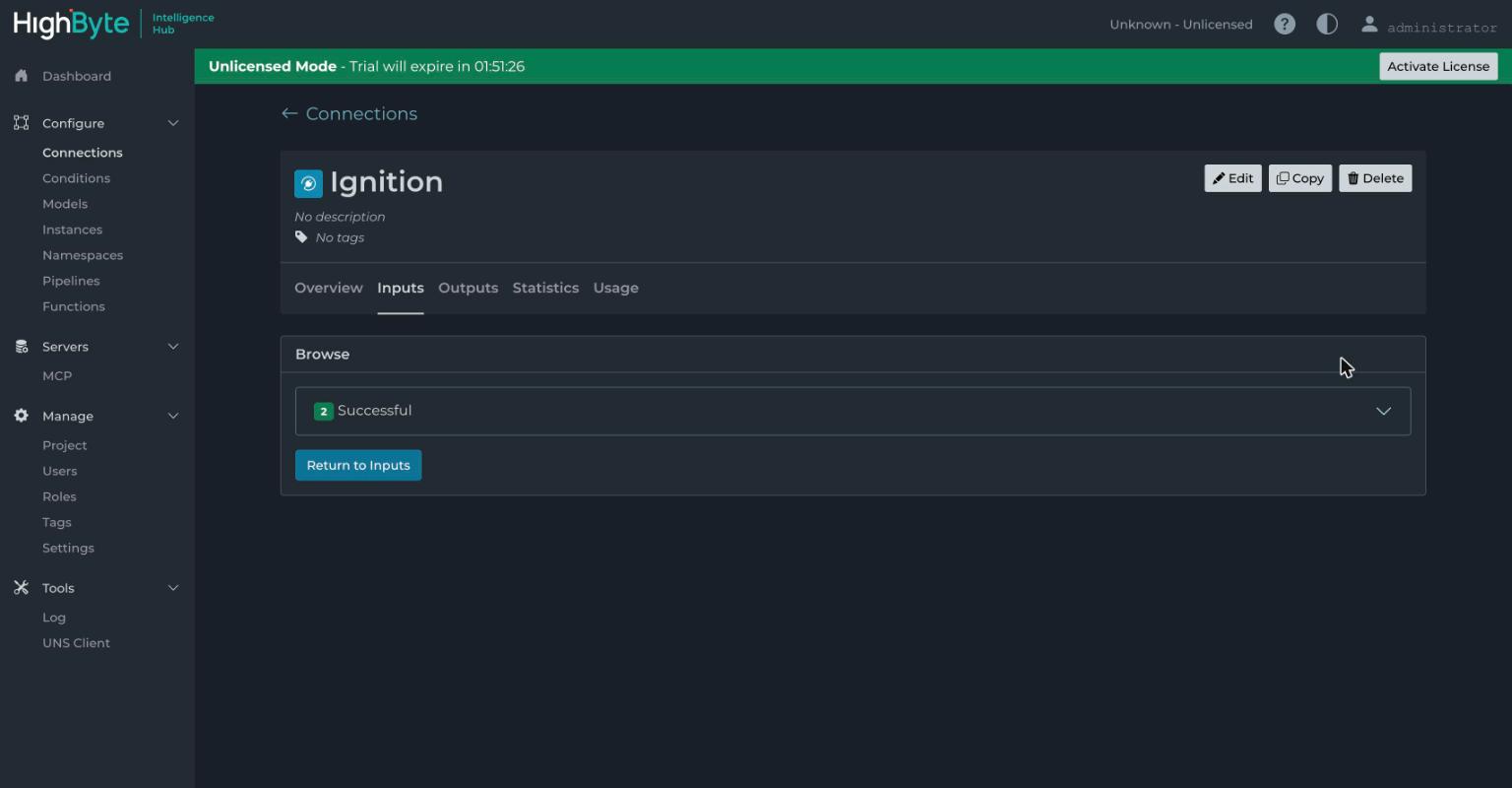
Browsing the gateway and pulling a branch in as an input took about a minute, and the built-in test view reads it live, which is the sort of small thing that decides whether a tool is pleasant to work in.
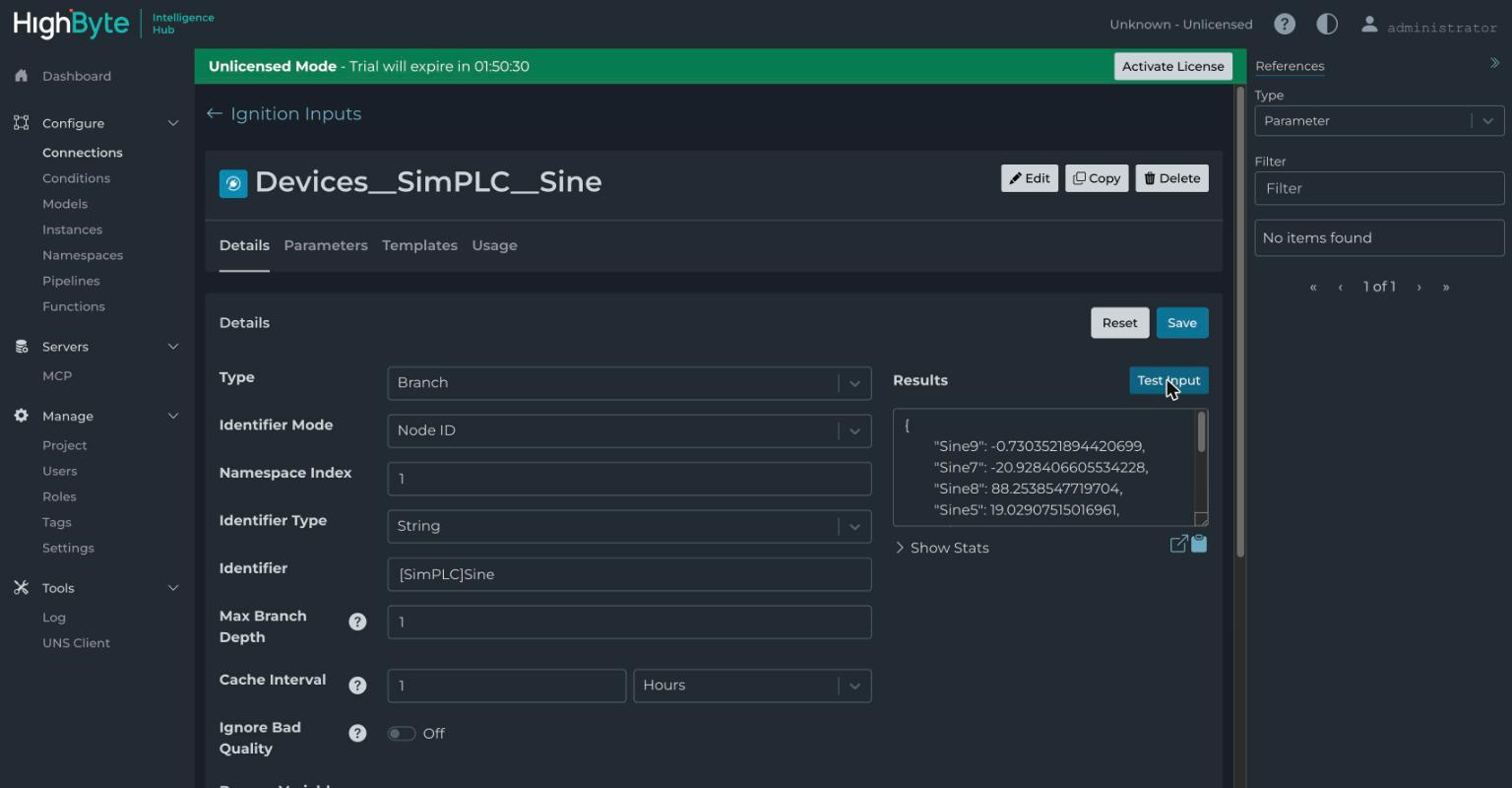
One practical note for anyone who wants to repeat this: the trial is fully functional with a two-hour runtime clock that you reset when it expires. Nothing is crippled, but you cannot quietly leave it running in production, which is a more honest way to license lab software than most.
Test 1 — can it model an asset properly?
What I did. Built model definitions from scratch and tried to express a real hierarchy.
What happened. A model here is a typed definition of an asset: attributes with names, data types, units and descriptions, so a pump has a suction pressure in bar, a discharge pressure in bar and a flow in cubic metres an hour.
If you have built Ignition UDTs this will feel familiar, and it should. The difference is what you are allowed to build out of them. A Simple model is flat attributes. A Modeled attribute lets one model contain another, which gives you composition. An Object type gives you hierarchy, so a plant contains stations, a station contains heat exchangers, a heat exchanger has attributes, and that entire shape is one definition you stamp out.
What it means for you. The tool does not do the modelling for you, and I want to be blunt about that because it is where these projects fail. What it gives you is somewhere disciplined to put knowledge that currently lives across a P&ID, a naming convention nobody wrote down, and two engineers who are both retiring. That sounds like faint praise. It is not, but it does mean the work is yours.
Test 2 — can one asset be assembled from several sources?
What I did. Bound an instance to live Ignition inputs and watched merged data move through the built-in test view.
What happened. An instance is a model wired to real data, and binding is drag and drop: pull an input onto an attribute and it connects.
The capability that actually justifies this layer is that one instance can draw from several sources at once. Flow comes from the PLC over OPC UA, nameplate data comes from a SQL table, the open work order comes from a REST call to the maintenance system, and all three arrive downstream as one coherent object with one timestamp and one shape.
ONE INSTANCE, THREE SOURCES
The consumer downstream gets a single payload with all three inside it and never learns that the flow came off a controller, the serial number came out of a table and the work order came over HTTP.
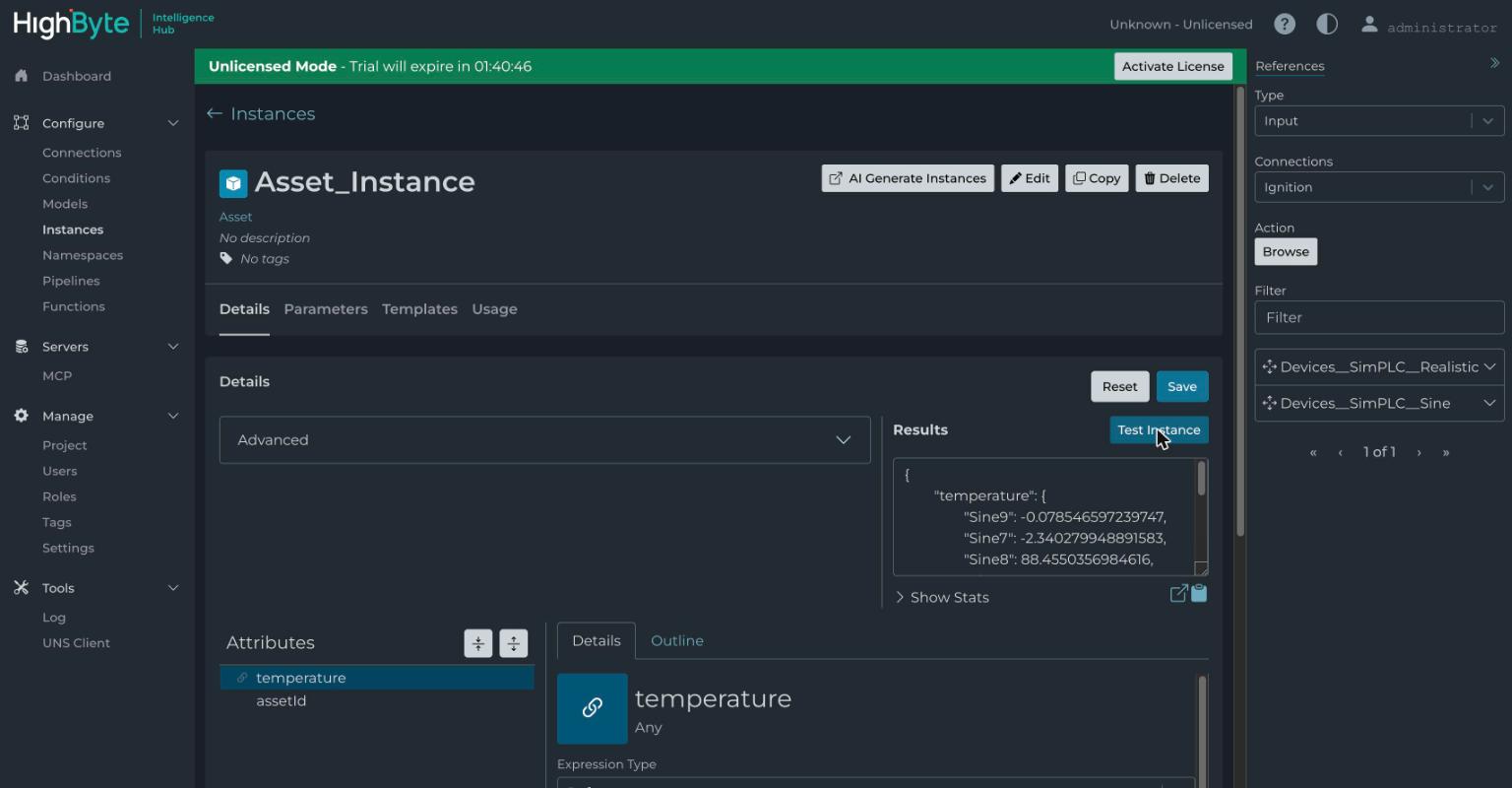
What it means for you. This is the genuinely tedious thing to hand-build and the genuinely valuable thing to standardise once across twenty sites. If you have ever written a script that joins process data to an asset register, this is that job, promoted to a first-class object with governance around it. Writing that join by hand is a week of somebody's life per asset type and it never gets written the same way twice.
Test 3 — can it move data without code?
What I did. Worked through the pipeline canvas and its stage catalog.
What happened. Roughly thirty stage types: JavaScript and JSONata transforms, read and write stages, model and validation stages, a query stage, switches, loops, buffers, and parsers and formatters for CSV, JSON, XML and Parquet.
What it means for you. It is a competent visual ETL tool, and the Parquet stage tells you exactly who this product is for. Parquet is a data-lake file format, and nobody on a plant floor has ever asked for one. The design target here is the warehouse, and the honest reading of the whole product is that it exists to make plant data acceptable to the people who own the lake. That is not a criticism. It is a clue about whether you are the buyer.
Test 4 — can a UNS be designed rather than grown?
What I did. Laid out a namespace and used the query builder against it.
What happened. This is the strongest idea in the product.
Most Unified Namespace deployments in the wild were never designed. Somebody picked a topic structure, typed it into the broker, and it grew outward for three years. An undesigned UNS is MQTT with extra steps and a better name in the steering pack.
HighByte treats the namespace as a real artifact: a tree you lay out deliberately, a Smart Query builder that lets you ask the namespace questions instead of remembering paths, and remote mapping so hubs at different sites can be stitched together. Version 4.4 pushes that into federated namespaces, where a central hub sees each remote hub's tree and maps it into one central view.
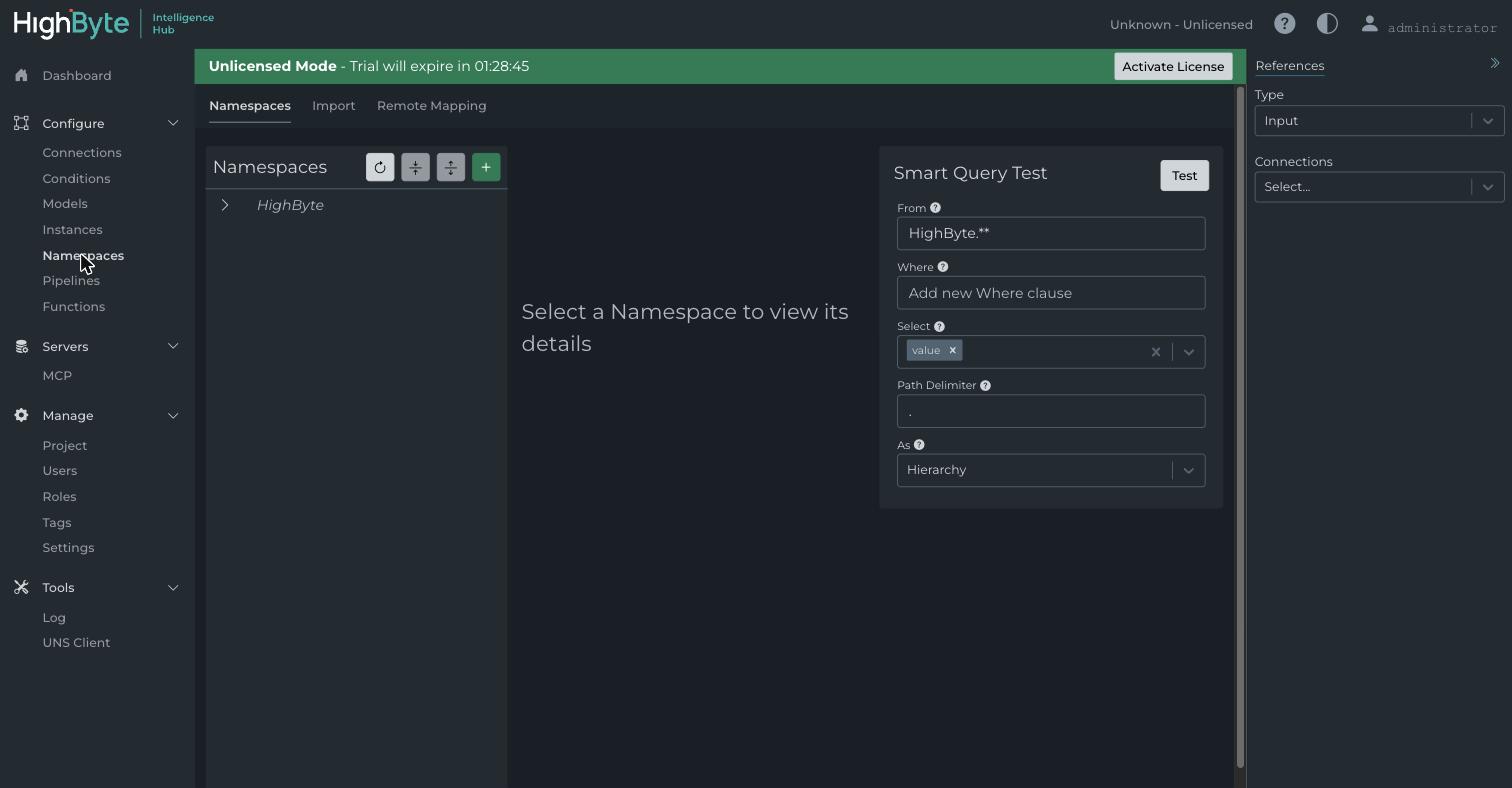
What it means for you. If you are going to buy this product, buy it for this. It is the one capability where I could not point at something you already own and say "that does the same job".
Test 5 — can an AI drive it?
First, what MCP is, because it is new enough that most people have not hit it yet. MCP, the Model Context Protocol, is the standard way an AI client connects to an external system. Roughly speaking it is OPC UA's job description rewritten for AI clients instead of HMIs. It has been spreading through OT tooling all year: the N3uron lab found one, and so did the Modbus copilot I built myself.
What I did. Connected an AI client to the Hub's MCP server, which lives under the REST Data Server settings and arrived in the 4.2 line, then looked at what tools it was actually handed.
What happened. The surface splits in two, and the split is documented rather than accidental. Version 4.3 added browse and read tools to OPC UA and MQTT connections, and separately added, in the vendor's own words, "support for new MCP tools for Pipeline Configuration that allow AI Agents to create and edit pipelines".
So one half is data tools, generated per connection: connection_Ignition_browse and
connection_Ignition_read. Browse the tree, read values, the same shape everyone else
offers. The other half is config_pipeline_schema, config_pipeline_examples,
config_pipeline_get, config_pipeline_create and config_pipeline_edit. Read that
list again, because those are not tools for reading plant data. They are tools for
building the plant's data plumbing.
I tested it the obvious way. Ask for the pipeline schema, get back the JSON structure
the product expects, construct one, call config_pipeline_create, refresh the browser.
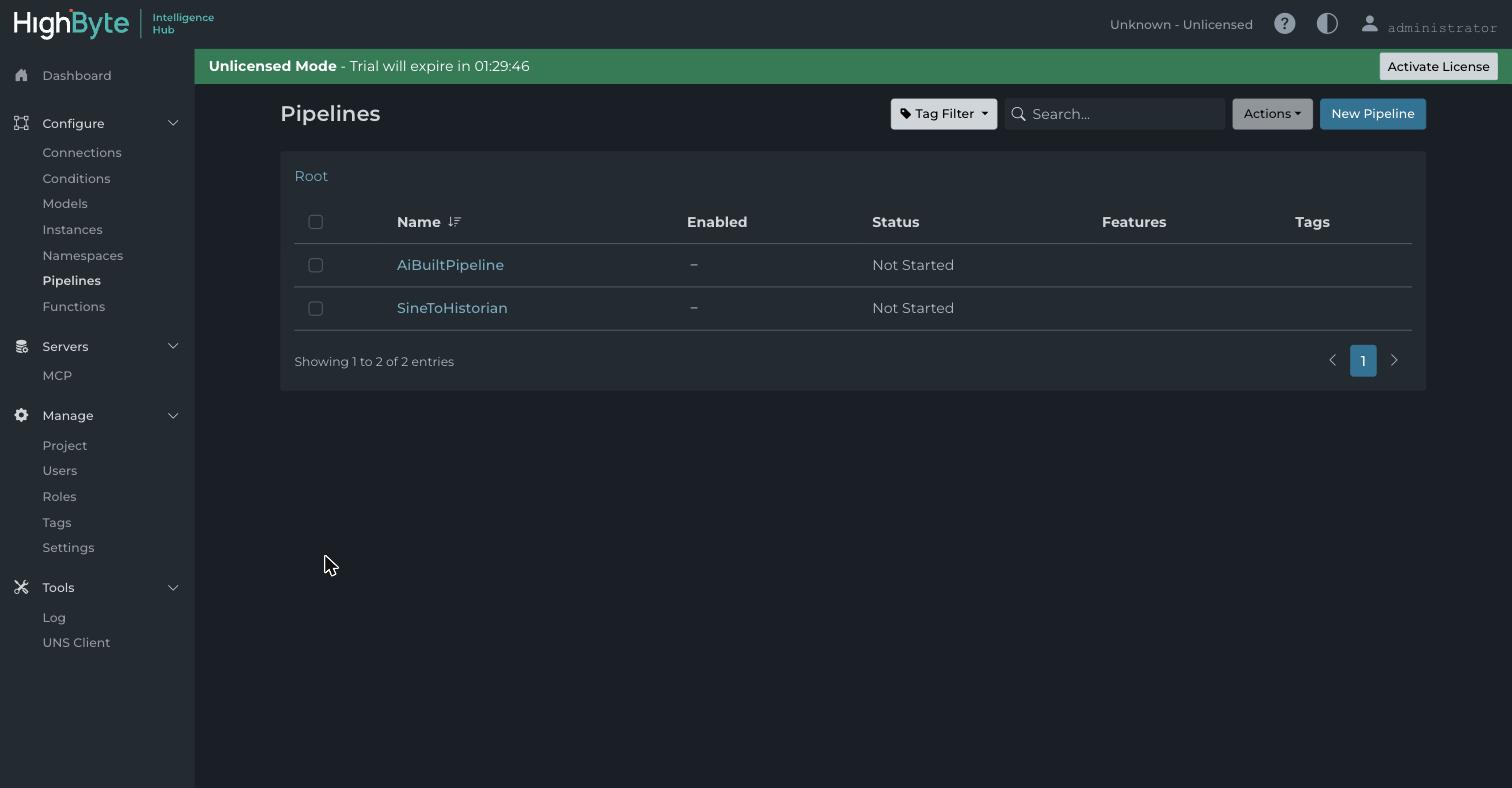
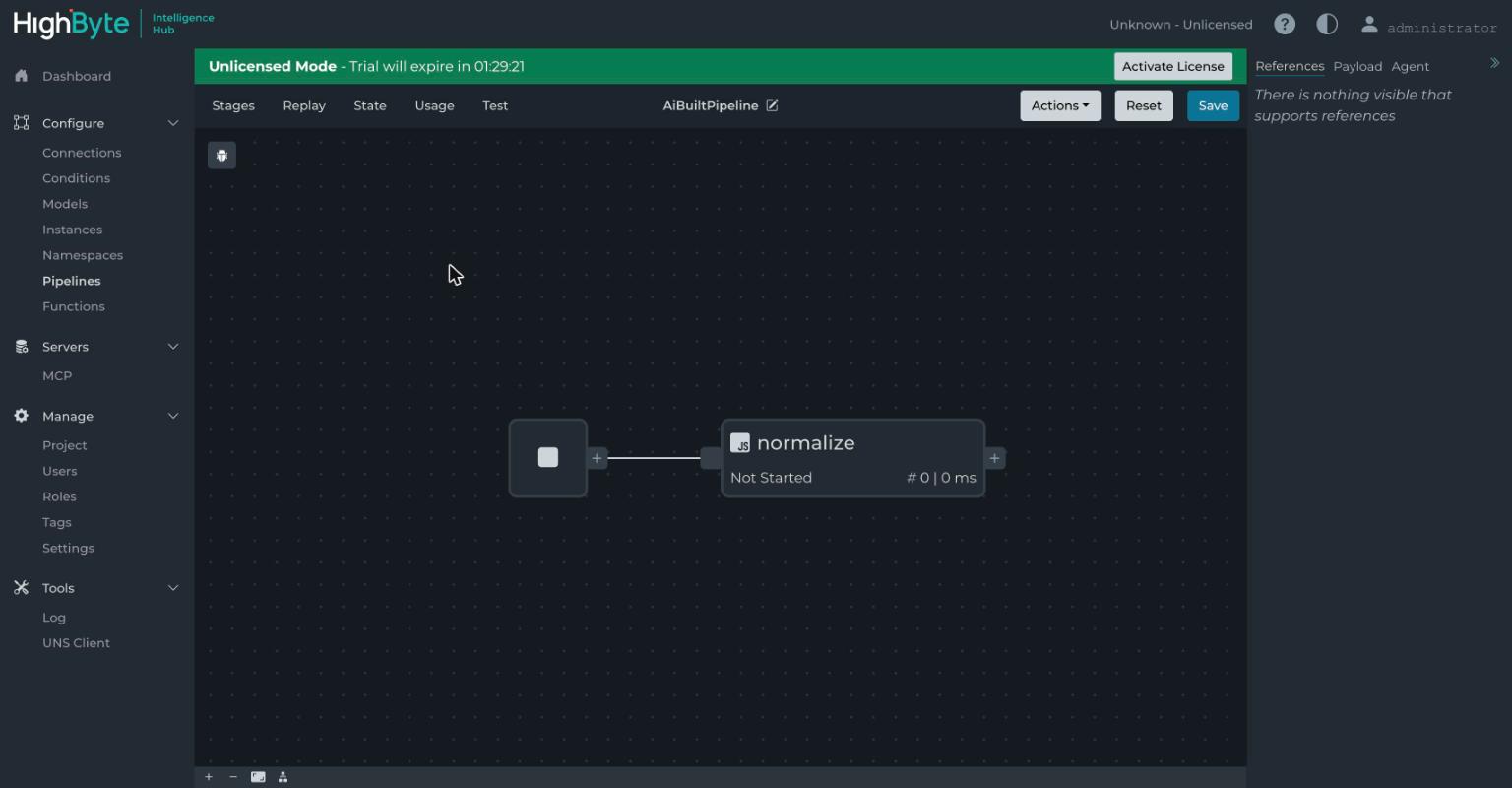
What it means for you. To HighByte's credit this sits behind a Configuration Tools toggle that is off by default, and the product ships the same idea as a supported in-app feature: a Pipeline AI Agent that summarises, creates and edits pipelines conversationally with a human approving each step. Version 4.4 went GA on 31 March, so the build I tested already had it. What I did was reach the same capability from outside, through a generic client, with no approval step in the loop, which is a different security posture even though it is the same underlying feature.
I think this is the first mainstream industrial product where an AI can build infrastructure rather than just read from it. I also think that is exactly the sentence that ends the conversation in a lot of OT security reviews, and it should, because "an AI wrote this pipeline" needs to be something the audit log can say out loud, and I could not establish that it can.
Then I asked it about a plant
Here is the finding I did not expect, and it is the more useful one.
I had thirty-five modelled stations sitting in the Hub with proper engineering descriptions on every attribute, and forty-eight hours of history in the connected TimescaleDB. So I put a chat client in front of that same MCP server and asked the kind of question an operator asks on a Tuesday morning: which stations have a low temperature differential?
It could not see any of it, and not in the sense of answering vaguely. Everything I had spent the afternoon building was structurally invisible to that surface, for a documented reason: the browse and read tools were added to OPC UA and MQTT connections, and that is the whole list.
WHAT AN AI CLIENT COULD ACTUALLY REACH
The first two read plant data. The other three write configuration.
All the meaning I had spent the afternoon building sat on this side of the line. The only plant data the model could see was a folder of sine waves.
The honest answer to my question is therefore a refusal. The likely answer from a confident model is that it reads the sine waves and invents something plausible, which is the failure mode I already watched play out when a copilot reasoned carefully from bad provenance and reached a wrong conclusion.
What it means for you. None of this is a knock on the product. It is a category boundary, and once you see it the whole thing snaps into focus: this AI surface is for engineers building plumbing, not for operators asking questions. Those are different products. Next time someone demos "AI on your plant data" on top of middleware, ask which of the two they are selling, then ask them to run one real question from your plant, live. The answer arrives quickly. The wider argument for why a plant needs this discipline before it needs a better model is a separate piece.
What it refuses to do
Two constraints, both stated openly by the vendor, and both more important than any feature on the list.
It does not store data. The documentation says the product "intentionally does not store or analyze data", so this is not a historian and not a warehouse. And the field-driver list is deliberately thin: Modbus TCP, OPC UA, MQTT, Sparkplug and a native Ignition connection. That is the lot. No S7, no DNP3, no IEC-104, no serial.
Together those mean this can never be your only middleware. Something below it has to talk to the actual devices, and something beside it has to keep the data. The honesty is refreshing, since plenty of products in this space imply they are the whole answer, but you have to design around it and it changes the total cost.
What it costs, and the comparison that matters
Professional licensing is $18,500 per site per year. Three factories in a starter pack is $50,000, a data-centre aggregation point is $65,000, enterprise is bespoke, and everything is included at every tier: unlimited models and pipelines, high availability, the embedded broker, the REST server, MCP.
That is subscription pricing for a governance layer, and it makes the buying decision unusually clean. If you have one plant, the layers you already own cover most of this, because UDTs give you typed assets, a broker gives you decoupling and a historian gives you retention. You would be paying eighteen and a half thousand a year for tidiness.
For a sense of how sharp the split in this market is, the nearest neighbour in the category sells per-node perpetual licences at around €800, so a twenty-node estate there costs roughly one HighByte site-year. They are not substitutes and I do not want to imply they are, since one reaches downward into protocols and stores data while the other reaches upward into modelling and stores none. But it does tell you which problem you are being asked to pay for, and that is the useful comparison when you are building the business case.
Where it fits in a real architecture
Every argument about this category is really an argument about which layer of a stack you are buying, so it is worth drawing the stack.
FIVE LAYERS, AND WHY EACH NEIGHBOUR CANNOT COVER IT
One, two, four and five are load-bearing in any serious deployment. Three is the layer you add when the cost of every site naming things differently has become something you can point at.
Where it bleeds
The two-hour trial clock is right for a lab, but it means you plan sessions rather than leave experiments running. There is no official ARM64 image, since the container is x86_64 Alpine and OpenJDK and ARM needs a custom build, which rules out the cheap single-board edge appliance a lot of the industry has standardised on. That one surprised me. The stated 1 GB RAM minimum is a floor for an empty project, not a running one, so budget properly.
And the scope limits again, stated plainly: no HA test, no broken-link test, no scale test, and no test of the in-app Pipeline AI Agent driven as intended. What I established is that the headline claims are real. They are.
So should you buy it?
Three conditions, and you need all three.
You run several sites that name the same assets differently. Standardisation is the product, and on one site it has nothing to standardise against.
Something downstream is already waiting, in the shape of a lake, a warehouse or an AI programme. Context is only worth paying for when something consumes it.
Somebody owns the models. This one is not optional. It is a governance tool, and a governance tool without a named owner decays into a second undocumented integration layer, which is worse than not having one at all.
If all three are true, this is the best-articulated product in its category and the namespace design alone is ahead of the field. If you have one plant, do not. You already own most of it.
What to do on Monday
Whether or not you are a buyer, three things from this afternoon are worth borrowing.
- Write down what one asset actually is, attributes and units and sources, for a single pump or heat exchanger. You do not need software to do this, and you will find out quickly whether that knowledge exists anywhere except in someone's head.
- Ask where your context currently lives. If the answer is "in the report the analyst rebuilds each time", you have the problem this category exists to solve, whether or not you solve it this way.
- When anyone demos AI over your plant data, ask whether the AI can see the models or only the tags, and make them run one real question live. That single question separates the two products people keep confusing.
Glossary
The standard industrial protocol for reading data out of control systems.
A lightweight publish-subscribe protocol, and the industrial convention on top of it that defines how devices announce themselves and report changes.
Unified Namespace. One agreed, hierarchical, live picture of everything happening in a business, that any system can subscribe to.
A database built for storing time-stamped process values.
Extract, transform, load. Moving data from one place to another and reshaping it on the way.
A compressed file format used by data lakes and analytics platforms.
Ignition's User Defined Type: a reusable typed tag structure.
Model Context Protocol. The emerging standard by which AI clients connect to external systems and are handed a defined set of tools.
Treating plant data context as a governed, versioned layer of its own rather than rebuilding it per project.
Newsletter
New essays, by email.
SCADA, cloud, AI, and the plant floor — a short email when something new is published. No noise, unsubscribe anytime.